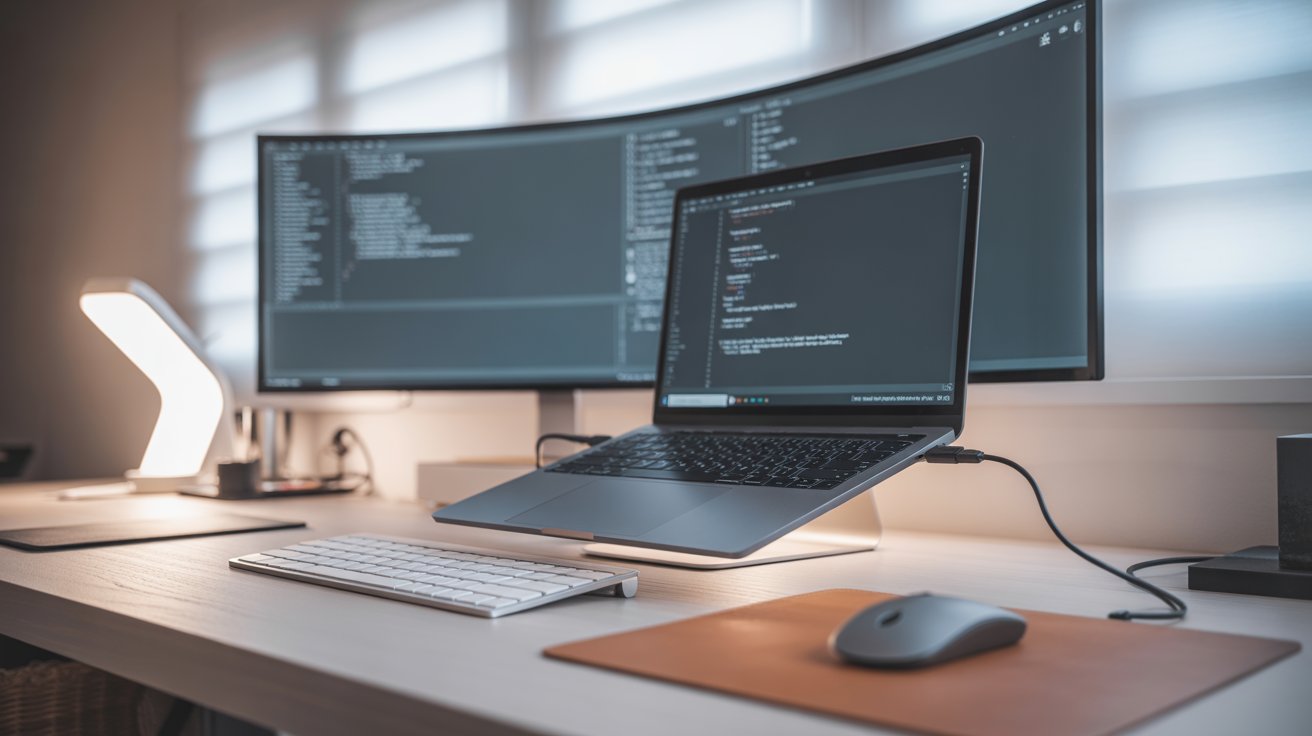
💻 Best Laptop Setup for Developers in 2026
A powerful laptop alone is not enough.
If your setup is not optimized, you’ll face:
- ❌ Slow workflow
- ❌ Bad posture
- ❌ Low productivity
In 2026, developers are building smart, ergonomic, and minimal setups to work faster and stay focused.
In this guide, you’ll learn how to build the perfect laptop setup for developers step by step.
🚀 Why Laptop Setup Matters
Your setup directly affects:
- ⚡ Coding speed
- 🧠 Focus
- 🪑 Comfort
- 📈 Productivity
👉 A good setup can improve productivity by 30–40%
🖥️ 1. External Monitor (Game Changer)
Using only a laptop screen limits your potential.
✅ Benefits
- More screen space
- Easy multitasking
- Less eye strain
- Faster debugging
💡 Pro Setup
- Screen 1 → Code
- Screen 2 → Browser / Logs
👉 This alone can double your efficiency
⌨️ 2. External Keyboard
Laptop keyboards are not ideal for long coding sessions.
✅ Benefits
- Faster typing
- Comfortable hand position
- Less wrist pain
💡 Best Options
- Mechanical keyboard → Best experience
- Slim keyboard → Portable setup
🖱️ 3. Wireless Mouse
A good mouse improves workflow speed.
✅ Benefits
- Smooth navigation
- Better accuracy
- Reduced fatigue
💡 Tip
Choose an ergonomic mouse for long hours.
🪑 4. Laptop Stand (Must Have)
This is one of the most important upgrades.
✅ Why It Matters
- Aligns screen with eye level
- Prevents neck pain
- Improves airflow
👉 Without this, long-term posture issues can occur.
🎧 5. Headphones or Earbuds
Focus is everything in programming.
✅ Benefits
- Blocks noise
- Improves concentration
- Useful for meetings
💡 Recommendation
- Noise-cancelling → Best for focus
- Budget earbuds → Daily use
🔌 6. Docking Station / Hub
Modern laptops have limited ports.
✅ Features
- USB ports
- HDMI output
- Fast charging
💡 Why You Need It
- Connect everything with one cable
- Cleaner setup
💡 7. Lighting Setup
Bad lighting = eye strain + low focus.
✅ Tips
- Use warm desk lighting
- Avoid harsh glare
- Use ambient light
📦 8. Cable Management
Messy desk = messy mind.
✅ Benefits
- Clean workspace
- Better focus
- Professional look
💡 Tools
- Cable clips
- Velcro ties
- Under-desk organizers
⚙️ 9. Software Setup (Hidden Secret)
Most developers ignore this — but it matters a lot.
🔥 Must-Have Tools
- VS Code (editor)
- Git (version control)
- Terminal customization
- AI tools (ChatGPT, Copilot)
👉 Software setup = faster workflow
🧠 Ideal Laptop Setup Layout
Best layout:
- Laptop on stand
- External monitor in front
- Keyboard + mouse aligned
- Docking station connected
- Clean cables
👉 This creates a professional developer environment
⚡ Productivity Tips for Developers
✔ Use dark mode
✔ Use keyboard shortcuts
✔ Keep desktop clean
✔ Take breaks every 60 minutes
✔ Use focus techniques (Pomodoro)
💰 Budget vs Premium Setup
💸 Budget Setup
- Laptop stand
- Basic keyboard
- Wireless mouse
- Single monitor
👉 Perfect for beginners
💎 Premium Setup
- Dual monitors
- Mechanical keyboard
- Ergonomic chair
- Docking station
- Noise-cancelling headphones
👉 Best for professionals
❌ Common Mistakes to Avoid
- Using only laptop screen
- Bad sitting posture
- Poor lighting
- Cluttered desk
- Cheap accessories
👉 Fix these → instant productivity boost
🚀 Future of Developer Setups
Coming trends:
- AI-powered workspaces
- Wireless setups
- Smart desks
- Minimalist design
👉 Future = clean + smart + efficient
🏁 Final Thoughts
The best laptop setup is not about expensive gear.
It’s about:
- Comfort
- Efficiency
- Clean workspace
👉 Start simple → upgrade step by step
❓ FAQs
❓ Do I need an external monitor?
Yes, it improves productivity significantly.
❓ Is laptop stand necessary?
Yes, it prevents neck pain and improves posture.
❓ What is best setup for beginners?
Start with:
- Laptop stand
- Keyboard
- Mouse
📣 Conclusion
Your setup defines your productivity.
By optimizing your laptop workspace, you can:
- Code faster
- Stay comfortable
- Build better projects
👉 Start improving your setup today 🚀